前言
"I just vibe code now. I don't see the code, I don't care how it works, I just describe what I want, look at the result, and if the vibe is off, I complain until it's fixed. (现在只是在‘氛围编程’。我不看代码,不在乎它怎么运行,我只描述我想要的,看结果。如果感觉不对,我就一直抱怨(提需求)直到它被修复。) —— Andrej Karpathy"
vibe coding 是一种新兴的开发方式,你可以用自然语言描述意图、直觉和审美,让 Agent 代替你实现代码
流程
安装 opencode
opencode 是一个开源的 Code Agent
CLI 版本
curl -fsSL https://opencode.ai/install | bash
opencode 最近推出的 桌面端版本(推荐)
打开项目
打开 [opencode桌面端] ,或者
opencode web # 如果你使用 CLI 版本,执行命令会打开一个 web 页面
点击 打开项目,选择项目目录
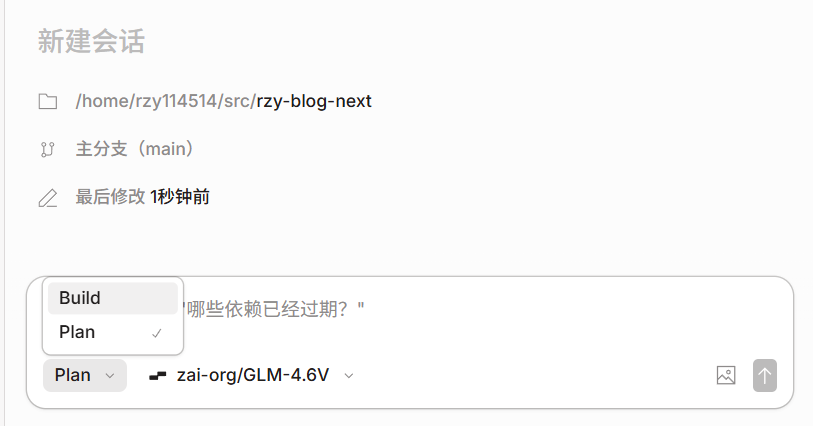
切换模式(Agent)
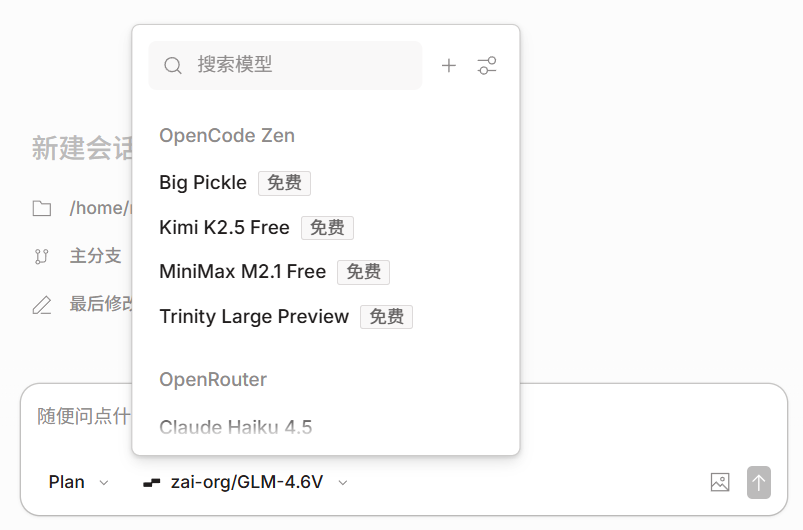
切换模型
opencode 内置了一些免费模型,你也可以使用其他提供商
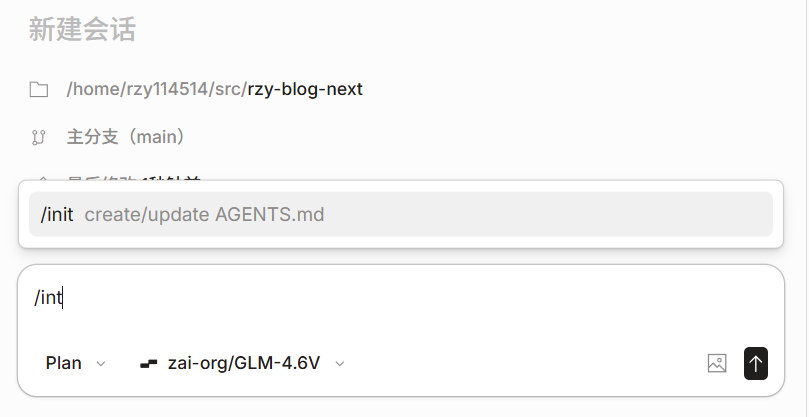
初始化
执行 /init 初始化一个 AGENTS.md,提供项目上下文与规则
tips: 项目架构变动时,同样建议执行 /init, 更新上下文
开始 vibe coding
用自然语言描述需求,让 Agent 写代码
结语
"The hottest new programming language is English. (现在最火的新编程语言是英语。) —— Andrej Karpathy"